
Enable Parallax Occlusion Mapping (POM) for Maximum 3D Detail
What POM Does
Parallax Occlusion Mapping creates the illusion of depth on block surfaces without adding extra geometry. With this pack's 64px textures, POM makes  stone, wood, and metal surfaces appear carved and recessed rather than flat.
How to Enable POM
1. Open your shader settings (usually F2 or through your shader mod's menu)
2. Look for Parallax or POM options in the visual settings
3. Enable the parallax occlusion mapping toggle
4. Adjust the depth slider if available—higher values create more pronounced depth, but may impact performance
5. Test on different blocks: 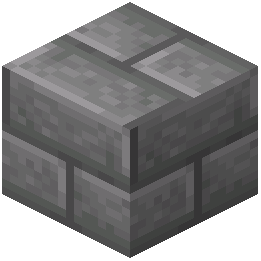 stone bricks, wooden planks, and ore blocks show POM effects most clearly
Performance Considerations
POM is GPU-intensive. If you experience frame drops:
- Lower the POM depth value
- Reduce render distance
- Pair with a lightweight shader like BSL instead of heavier alternatives
- Disable POM on distant blocks if your shader supports it
The effect is most noticeable when looking at blocks at an angle rather than straight-on. Move around your build to appreciate the carved, three-dimensional appearance that POM creates on this pack's detailed textures.