

 DownloadPlaceable Items Mod 2
Get the files on 9Minecraft
How do I place items in placeable items mod?
Hold SHIFT and Right Click while holding the item you want to place. The item will appear as a 3D model in the world at that location.
Can I rotate placed items?
Yes, you can rotate placed items using the precise rotation system. Right Click on a placed item to adjust its direction and angle.
Which items can be placed?
The mod allows you to place a wide variety of Minecraft items, but not all items are placeable by default. You can check which items are enabled in the mod's configuration settings.
How do I disable certain placeable items?
Open the mod's configuration file and locate the settings for individual items. You can enable or disable specific items to customize which ones can be placed in your world.
Do placed items have interactions?
Yes, most placed items have special interactions when you Right Click on them. These cool effects vary depending on the item type.
Can I move a placed item after placing it?
You can easily change the positions of placed items by interacting with them. The exact method depends on the item, but the mod is designed to make repositioning simple.
Does this mod work with Minecraft Bedrock edition?
This mod is designed for Java Edition. Bedrock Edition has different mod support and compatibility, so check the mod's official documentation for Bedrock availability.
Will placeable items mod slow down my game?
The mod is generally lightweight, but placing many items in one area can impact performance. If you experience lag, try reducing the number of placed items or disabling items you don't use.
Can I customize how many items spawn in my world?
Yes, the mod is fully configurable. You can adjust the generation settings to increase or decrease the number of items that appear in your world.
What do I do if a placed item looks wrong?
You can customize the appearance of placed items through the mod's configuration. If an item's look doesn't match your preference, adjust its settings or rotate it to a different angle.
What does the Placeable Items Mod do?
It lets you place Minecraft items down as 3D models to decorate your house. You place items by pressing SHIFT+Right Click.
How do you place items with the Placeable Items Mod?
You place items by pressing SHIFT+Right Click. The placed items become 3D models you can use for decoration.
Can you rotate placed items in the Placeable Items Mod?
Yes. The mod has a precise rotation system that lets you determine the direction items face.
Is the Placeable Items Mod configurable?
Yes, the mod is fully configurable. You can enable or disable specific items or blocks , and change how many items are generated in your world.
What config options does the Placeable Items Mod have?
The mod config file includes options called enable_placeable_music_disc and items_toggle.
What items and blocks does the Placeable Items Mod add?
The mod registers a 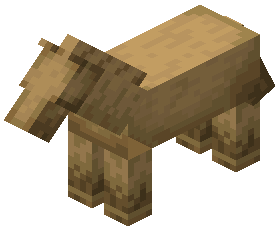 horse armor stand and a
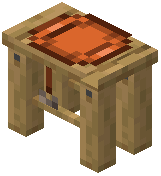 saddle stand . It also lets you place a wide variety of existing Minecraft items as 3D models.
horse armor stand and a saddle stand . It also lets you place a wide variety of existing Minecraft items as 3D models.Can you disable items in the Placeable Items Mod?
Yes. The mod is fully configurable, so you can disable or enable specific items or blocks .
Does the Placeable Items Mod add new items or blocks?
Yes. It registers a horse armor stand and a saddle stand , and it also allows placing many existing Minecraft items as 3D models.
horse armor stand and a saddle stand , and it also allows placing many existing Minecraft items as 3D models.