

 DownloadEnergy Meter
Get the files on 9Minecraft
How do I craft the 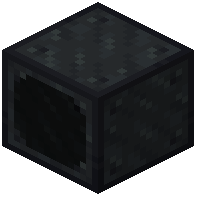 Energy Meter block?
Refer to your mod's crafting recipe in JEI or NEI. The Energy Meter requires materials commonly found in modded Minecraft; check the mod's in-game recipe viewer for the exact ingredients.
Energy Meter requires materials commonly found in modded Minecraft; check the mod's in-game recipe viewer for the exact ingredients.What's the difference between transfer mode and consumer mode?
Transfer Mode lets energy pass through the block while displaying the flow rate on the screen. Consumer Mode absorbs all incoming energy instead of passing it on, acting like a power sink or trash can.
Can I measure energy from multiple sources at once?
Yes—the Energy Meter has one input side and up to four output sides, so you can connect multiple power cables to the outputs and measure the total transfer rate flowing through the block.
Energy Meter has one input side and up to four output sides, so you can connect multiple power cables to the outputs and measure the total transfer rate flowing through the block.Why is my Energy Meter showing zero even though power is connected?
Check that the input and output sides are configured correctly using the block's interface. Make sure the cables are actually connected to the input side, and verify the receiving machine can accept energy on its connected side.
Does Energy Meter work with all mod power systems?
Energy Meter supports Forge Energy (FE) and Redstone Flux (RF) by default. Compatibility with other power systems depends on whether they use standard energy APIs; check mod documentation if using less common energy types.Can I read the Energy Meter screen with computercraft?
Yes, Energy Meter integrates with ComputerCraft and OpenComputers, allowing you to query the current transfer rate and configure the block remotely through code.
Energy Meter integrates with ComputerCraft and OpenComputers, allowing you to query the current transfer rate and configure the block remotely through code.Does the Energy Meter slow down my power transfer?
No, the Energy Meter in Transfer Mode passes energy through without reducing the flow rate; it only measures and displays what's already moving.
Energy Meter in Transfer Mode passes energy through without reducing the flow rate; it only measures and displays what's already moving.How do I rotate which sides are input and output?
Use the block's configuration interface to assign input and output roles to each of the six sides. You can adjust this at any time without breaking the block.
What happens if I connect power to multiple sides at once?
Only the side configured as the input will accept incoming energy. Power connected to output-configured sides will not flow into the block.
Can I use Energy Meter to test if my power cables are working?
Yes—place an Energy Meter in Transfer Mode between your power source and destination, and watch the screen to see if energy is flowing. A zero reading indicates a problem with cables or connections.
Energy Meter in Transfer Mode between your power source and destination, and watch the screen to see if energy is flowing. A zero reading indicates a problem with cables or connections.What does the Energy Meter Mod do?
It adds a simple block that measures how fast your energy is moving. The block has a screen that always shows the current transfer rate.
What blocks does the Energy Meter Mod add?
It registers two blocks : the energy meter and the 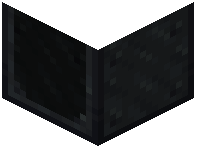 external monitor .
energy meter and the external monitor .Which Minecraft versions does the Energy Meter Mod support?
It supports Minecraft 1.18.2, 1.19.2, 1.20.1, 1.21.1 and 26.1.2.
What mod loaders does the Energy Meter Mod run on?
It runs on Forge and NeoForge.
Which energy systems does the Energy Meter work with?
It works with many energy systems, including Forge Energy (FE) and Redstone Flux (RF).
How many inputs and outputs does the Energy Meter support?
It allows one input and up to four outputs, with adjustable side configurations.
What is Transfer Mode on the Energy Meter?
Transfer Mode measures energy while it moves to other machines.
What is Consumer Mode on the Energy Meter?
Consumer Mode absorbs all incoming energy, like a trash can.
Does the Energy Meter connect with ComputerCraft or OpenComputers?
Yes, it connects with ComputerCraft and OpenComputers for automation.
Is the Energy Meter Mod a port of the Energy Meters mod?
No, it is not an official update or port of Energy Meters . It is a complete rewrite, with credit to the original author @vladmarica.