
Sword UI Resource Pack Wiki

Sword UI Resource Pack Wiki & Guide
wiki.9minecraft.net/sword-ui-resource-pack/
Redesigns the user interface with sword-themed visual elements and styling.
Guides
Step-by-step, in-game.
Customize Your Hotbar and Status DisplayUnderstanding the Minimalist UI Sword UI Resource Pack replaces your default hotbar, hunger bar, and health hearts…Optimize Armor Display for Combat ReadinessClear Armor Status at a Glance Sword UI Resource Pack includes 32x resolution armor textures based on Faithful style,…Reduce Weapon Model Size for Better Sight LinesWhy Weapon Models Matter in PvP Large sword and axe models can block your view of opponents during combat. Sword UI…Set Up the Pack for Smooth Classic PvP SessionsPreparing Your Game Environment Sword UI Resource Pack is designed for classic PvP gameplay where performance and…
Frequently asked questions
How do I enable the shorter weapon models?
The shorter sword and axe textures are active by default once you apply the resource pack in your texture pack settings. If weapons still appear full-length, make sure the Sword UI pack is positioned above any conflicting packs in your resource pack list.
Will this pack work with my current texture pack?
Sword UI is built on Faithful textures, so it works best as your primary pack. If you want to layer it with another pack, place Sword UI lower in your resource pack list so its UI elements take priority.
Do I need OptiFine to use this pack?
OptiFine is optional but recommended for the smoothest rendering, especially if you're running classic PvP setups. The pack functions without it, though you may notice minor visual differences.
Why is my hotbar still cluttered after installing the pack?
Make sure you've fully reloaded your resource packs by pressing F3+T (or going to Options > Resource Packs and confirming the pack is selected). If items still look default, check that no other packs are overriding the hotbar textures.
See all 10 Sword UI questions ›
You May Also Like
Wikis that share the most with this one
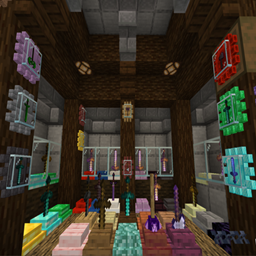 Sword Displays Mod
 Sword Armor Trims Data Pack
 Sword Blocking Mechanics Mod
 The Last Sword You Never Forgot
 Epic Fight Sword Light Modifications Mod
 Bd Hill Reforge The Sword Edge Resource Pack
 Epic Fight Extra’s Sword Trail Optimization Pack Resource Pack
 Taanmc Resource Pack
 Tetoholic Resource Pack
 Clean Swords Resource Pack
 Short Swords Resource Pack
 Small Swords Resource Pack
Wikis on the same theme: sword
 Bluxy Crystal Resource Pack
 Swiftboost Pvp Resource Pack
 Small Swords Hani Resource Pack
 Deltacraft Weapons Resource Pack
 Master Crystal Pvp Resource Pack
 Sharp Short Swords Resource Pack
 Klauzeras 3D Weapons Resource Pack
 Bananas Pvp Essentials Resource Pack
 Rpg Pvp Swords And Tools Resource Pack
 Mrswords Tools 3D Glowing Resource Pack
 Tiny Pvp Swords And Tools Resource Pack
 Mr Swords Tools 3D Vanilla Glowing Resource Pack
More resource pack wikis on the site
 Sweet Sweet HUD Resource Pack
 SV Kerbal Skies Resource Pack
 Sus Totems Resource Pack
 Suren’s Sophisticated Storage Resource Pack
 Suren’s FTB Quests Resource Pack
 Super Simple 3D Dripstone Resource Pack
 Super RPG Font Resource Pack
 Sunbathing Godrays Resource Pack
 Sun & Moon Reimagined Resource Pack
 Summit Resource Pack
 Sulfur Sport Balls Resource Pack
 Subtly Glowing Ores Resource Pack
The most downloaded mods that have a wiki here
 Farmer’s Delight Cutting Compat Data Pack
 Mouse Tweaks Mod
 Supplementaries Compat Data Pack
 Bookshelf Mod
 AppleSkin
 GeckoLib Mod
 Controlling Mod
 Clumps Mod
 JourneyMap Mod
 Placebo
 Waystones
 Nature's Compass Mod
A few wikis from each of the other kinds
 0,5 HP Mod
 0Pack2Reload Mod
 3D Displacement Test Shaders
 8 Bit Trial Chambers Shaders
 100 Levels 2 Map
 1000 Block Parkour Map
 A COZY Adventure Nap Time The Lil Cafe Modpack
 Actions & Better Modpack
 6 Stairs Data Pack
 A Breach Happened Data Pack
 22qq Client Mod
 67 Client Mod