
Aperture Architectural Elements Mod Wiki

Aperture Architectural Elements Mod Wiki & Guide
wiki.9minecraft.net/aperture-architectural-elements-mod/
The community wiki and guide for Aperture Architectural Elements Mod.
Guides
Step-by-step, in-game.
Build a Detailed Test Chamber WallChoosing Your Wall Blocks Start by selecting blackplate blocks as your base wall material. The mod provides several…Create Flooring with Varied TexturesFloor Block Options The mod offers multiple flooring choices: standard tiles, hazard line tiles, meshy grating…Design Multi-Room Connected ChambersPlanning Your Layout Before building, sketch how your chambers connect. Aperture Architectural Elements works best…Install Ventilation and Air Duct DetailsVent Block Types The mod includes standard wall vent blocks and double cross vents for more elaborate air circulation…
Frequently asked questions
How do I get started with Aperture Architectural Elements?
Make sure you have Portalmod installed first, as this mod adds blocks that build on top of it. Once both mods are loaded, you'll find the new blocks in the creative inventory under building/decoration tabs, or craft them using standard materials like stone, metal, and dyes depending on the block type.
What's the difference between the lunecast pattern variants?
The mod provides checkered, eroded, and fractured lunecast patterns to give you visual variety when building chamber walls. Each has a distinct appearance—checkered is clean and geometric, eroded looks weathered, and fractured appears damaged—so you can mix them for realistic test chamber aesthetics.
Can I use these blocks on regular Minecraft surfaces or only with Portalmod?
These blocks are designed specifically for Portalmod integration and work best within that framework, though they function as normal decorative blocks in vanilla Minecraft. However, their full visual purpose and compatibility features are intended for Portalmod test chamber builds.
How do I place 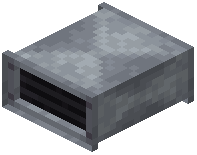 vent blocks so they look like actual air ducts?
Use the wall vent blocks and double cross vents by placing them flush against chamber walls or ceilings where air flow would logically occur. Stack or arrange multiple vent blocks in lines to create the illusion of connected ductwork running through your facility.
vent blocks and double cross vents by placing them flush against chamber walls or ceilings where air flow would logically occur. Stack or arrange multiple vent blocks in lines to create the illusion of connected ductwork running through your facility.See all 10 Aperture Architectural Elements questions ›
You May Also Like
Wikis that share the most with this one
 Horror Elements
 Architectural Infinite
 Aperture Interior Decoration
 Aperture Innovations Portal Gun
 Dense Architectural Inertia Data Pack
 Ancient Elements Better Combat Fix Mod
 Yog
Yog Hats
Hats Noel
Noel Heads
Heads Maple
Maple Bignay
Wikis on the same theme: decor
 Blocks
 Pyrite
 Xnicex
 Benched
 Blockus
 Botania
 Caupona
 Enderfy
 Guitars
 Masonry
 Tidbits
 Zedonho
More mod wikis on the site
 Aoinuhs Banners
 Anytag
 Anyminer Mod
 Anvilcore
 Anvil Too Expensive Mod
 Anvil Swapper Mod
 Anvil Restoration Mod
 Anvil Repairing Mod
 Anvil Crushing Recipes Mod
 Anvil Craft
 Anvian’s Lib Mod
 Antygravity Mod
The most downloaded mods that have a wiki here
 Farmer’s Delight Cutting Compat Data Pack
 Mouse Tweaks Mod
 Supplementaries Compat Data Pack
 Bookshelf Mod
 AppleSkin
 GeckoLib Mod
 Controlling Mod
 Clumps Mod
 JourneyMap Mod
 Placebo
 Waystones
 Nature's Compass Mod
A few wikis from each of the other kinds
 18W43A Wood Resource Pack
 1×1 Ultimate Resource Pack
 3D Displacement Test Shaders
 8 Bit Trial Chambers Shaders
 100 Levels 2 Map
 1000 Block Parkour Map
 A COZY Adventure Nap Time The Lil Cafe Modpack
 Actions & Better Modpack
 6 Stairs Data Pack
 A Breach Happened Data Pack
 22qq Client Mod
 67 Client Mod