Player Shops Data Pack — Reference
Crafting and Setup
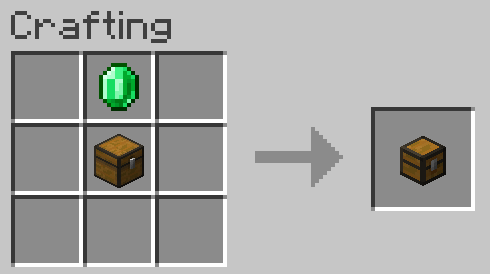
To begin your career as a merchant, you must first craft a Shop Block. This block serves as the foundation for your marketplace stall.
Crafting Recipe
The Shop Block is crafted using standard survival materials. While the specific arrangement can vary by version, the standard recipe involves:
| Ingredient | Quantity | Purpose |
|---|---|---|
| Chest | 1 | Storage for stock and profits |
| Glass Block | 1 | The display case for the product |
| Gold Ingot | 1 | Decorative trim and currency indicator |
Initial Placement
- Place the Block: Place the crafted Shop Block in your desired location.
- Claiming: Right-click the block once placed to claim it as your own. Once claimed, your name will be associated with the shop, and other players will be unable to break or modify it.
- Setup Menu: Right-click the claimed shop to open the Setup Menu. This GUI allows you to configure what you are selling, the price, and the current stock level.

Purchasing Items
For customers, interacting with a shop is straightforward and requires no complex commands.
- Check Details: Shift + Right-click the shop to view the product details, price, and current stock in the chat or a pop-up display.
- Make a Purchase: Hold the required payment item in your main hand and Right-click the shop. The transaction will complete instantly, removing the payment from your inventory and adding the product.
