
Half Sized Resource Pack FAQ
10 questions players actually ask, answered.
Why do my textures look weird and stretched after installing this?
The Half Sized Resource Pack shrinks block textures to half their normal resolution, which can make them appear pixelated or slightly distorted up close. This is intentional and part of the mod's effect—stepping back or exploring from a distance will show the intended scaled-down appearance more clearly.
Can I use this with other resource packs?
Yes, but resource pack load order matters. If you place Half Sized Resource Pack lower in your pack list, other packs will override it. For best results, load it last so its textures take priority, or use it alone for the full intended effect.
Does this affect mob sizes or just textures?
This mod only changes texture scale, not actual block or mob dimensions. Mobs and blocks remain their normal size in the world—only their surface textures appear smaller, which creates the illusion that you're much taller than usual.
Will this slow down my game or hurt performance?
No, this is a lightweight resource pack with no performance impact. It only modifies textures and doesn't add entities, particles, or complex rendering effects.
How do I build things that look proportional with half-sized textures?
Use the same building techniques as normal, but be aware that details will appear smaller and finer. Structures like houses and towers may feel more delicate—consider using slightly larger dimensions or bolder shapes to compensate for the reduced texture scale.
Does this work with custom maps or modded blocks?
It works on vanilla blocks and most modded blocks that use standard textures. Modded blocks with custom textures won't be affected unless the mod author specifically includes Half Sized versions, so your world may have a mixed appearance.
Can I toggle this on and off without reloading?
You can disable it in your resource pack menu and reload the world, but there's no in-game toggle. Simply move it to the inactive packs section and reload to see normal textures again.
Why do caves feel different with this pack?
Smaller textures make the same cave spaces feel larger and more open since visual details are compressed. This can make exploring feel more expansive and change how you perceive underground distances.
Does this affect the Nether or End dimensions?
Yes, all dimensions are affected equally. Nether blocks, 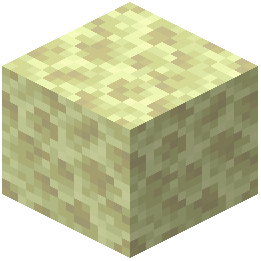 End stone, and dimension-specific textures all scale down, creating the same miniaturized appearance throughout your world.
End stone, and dimension-specific textures all scale down, creating the same miniaturized appearance throughout your world.What if textures look blurry or unclear on my screen?
This depends on your texture filtering settings and display resolution. Try adjusting your Mipmap Levels in video settings—lowering it can make small textures appear sharper, while raising it smooths them out.